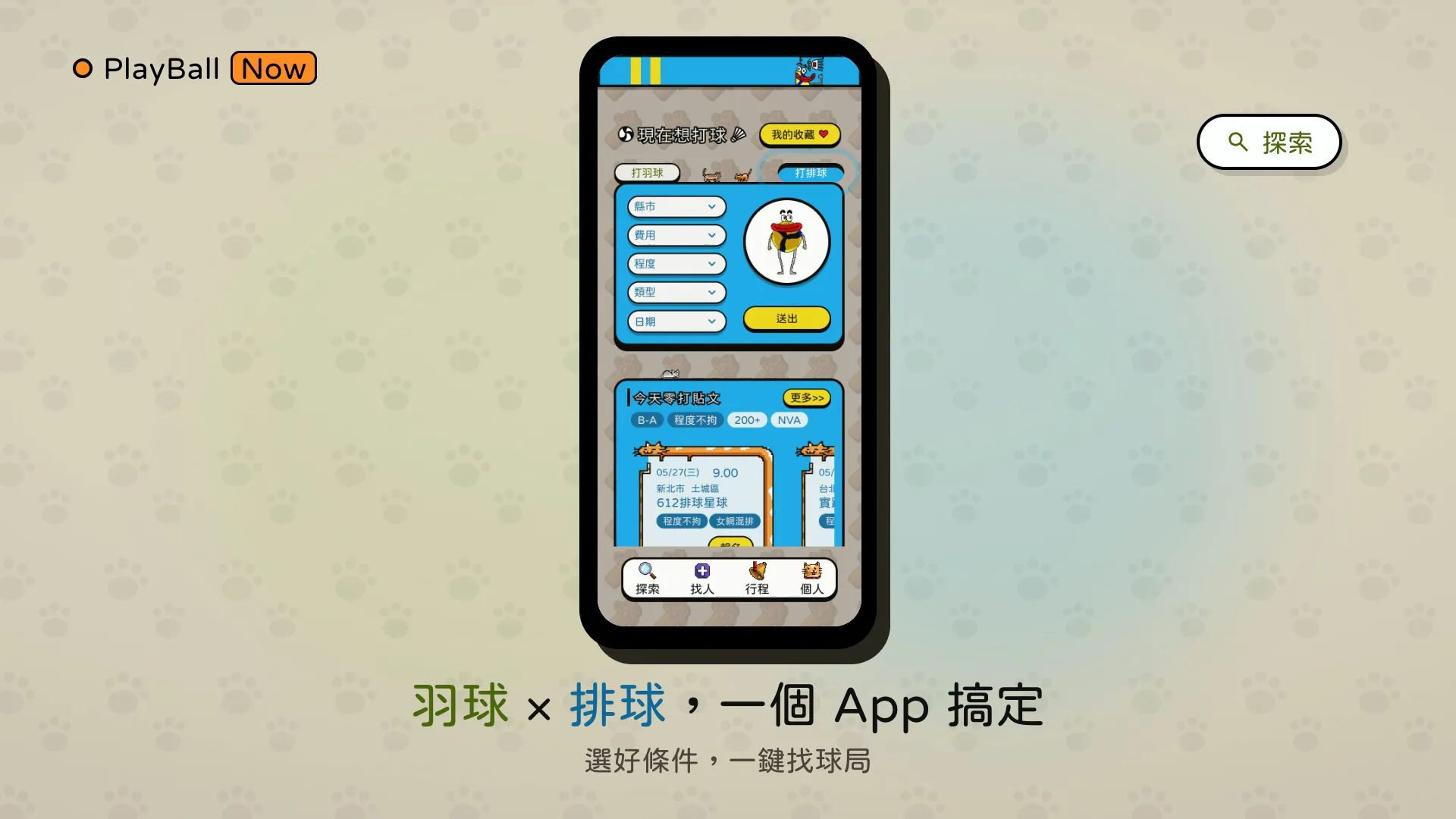
I coach volleyball part-time, so I know drop-in games firsthand: regulars cancel at the last minute, courts get booked without enough players to fill them, and the only recourse is forwarding messages across group chats and hoping for luck. Meanwhile, people who want to play have no idea where players are needed, whether the skill level fits, or whether their sign-up will even be honored. Game organizing lives scattered across chat histories, with no sign-up status and no attendance records—trust runs entirely on personal goodwill.
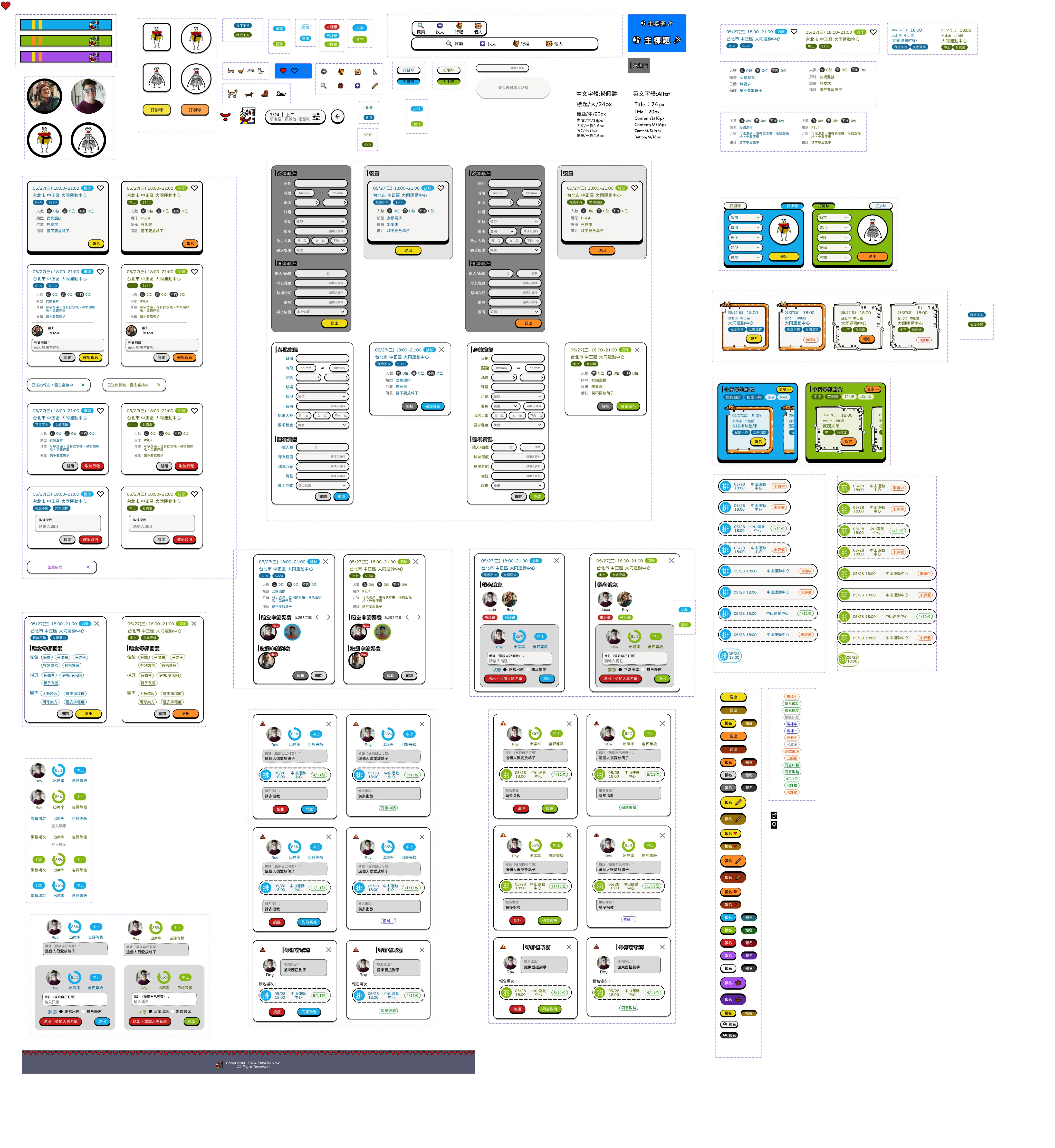
PlayBall Now is a design exercise aimed at this scenario: a badminton and volleyball pickup app that brings finding players, drop-in sign-ups, schedule management, and personal stats into one product. It was also a Figma assignment I set for myself: a full pass from brand identity through component system to interactive prototype.
Design Decisions
Sticker-style interface: the theme flips from badminton green to volleyball blue and the whole interface follows, while the orange CTA stays consistentFigma component system: variants manage the dual theme colors and component states
Outcome & Reflections
I completed the mobile and desktop Figma designs, and produced a 96-second, 1920 × 1080 mobile demo video with HyperFrames (HTML + GSAP), complete with Chinese subtitles—the video reuses the design system’s hard-edged shadows and brand colors, giving the identity a cross-medium test run.
Looking back, the biggest takeaway was the discipline of “component system first”: dual theme colors are really a test of whether your styles and variants are structured cleanly. Another reflection is the tension between the sticker style and information density—thick outlines and hard shadows take up space, so list screens have to restrain the decoration and let hierarchy yield to content. Next, I want to complete the sign-up notification and waitlist promotion flows, bringing the design closer to a build-ready spec.